
When it comes to working from home, maintaining good posture is essential for overall health and well-being. From preventing musculoskeletal issues to improving productivity, proper posture plays a crucial role. Let's explore some valuable tips that can help you maintain better posture while working remotely.
Importance of Good Posture While Working from Home
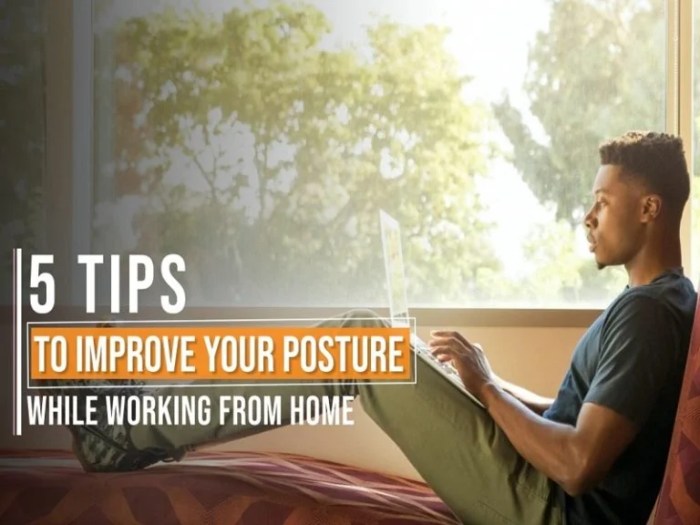
Maintaining good posture while working from home is crucial for overall health and well-being. Poor posture can have a negative impact on various aspects of our health, from musculoskeletal issues to mental well-being.Excessive slouching or hunching over a computer can lead to neck, shoulder, and back pain.
Over time, this can result in more serious conditions such as chronic back pain, spinal misalignment, and decreased flexibility. By practicing good posture, we can prevent these musculoskeletal issues and promote a healthier spine.
Preventing Musculoskeletal Issues
- Proper alignment of the spine reduces strain on muscles and joints.
- Good posture helps distribute weight evenly, reducing pressure on specific areas of the body.
- Correct posture supports the natural curves of the spine, preventing discomfort and pain.
Benefits of Maintaining Proper Posture During Work Hours
- Improved breathing and circulation, leading to increased energy levels.
- Enhanced focus and productivity due to reduced physical discomfort.
- Prevention of long-term health issues associated with poor posture.
Ergonomic Workstation Setup Tips
Maintaining a proper ergonomic workstation setup at home is essential for promoting good posture and preventing discomfort or injury. Here are some tips to help you set up your workstation correctly:
Ideal Desk and Chair Height
- Ensure that your desk is at a height where your arms can rest comfortably on the surface with your elbows at a 90-degree angle.
- Adjust your chair so that your feet are flat on the floor and your knees are also at a 90-degree angle.
- Use a chair with proper lumbar support to maintain the natural curve of your spine.
Proper Monitor Placement
- Position your monitor directly in front of you at eye level to avoid straining your neck and eyes.
- Keep the screen about an arm's length away from you to reduce eye strain.
- Use a monitor stand or adjust the height of your monitor to align the top of the screen with your eye level.
Incorporating Regular Stretching and Exercise
Regular stretching and exercise are crucial for maintaining good posture while working from home. By incorporating these practices into your daily routine, you can relieve tension, improve flexibility, and strengthen the muscles that support proper posture.
Stretching for Tension Relief and Posture Improvement
- Neck Stretch: Gently tilt your head to one side, holding for 15-30 seconds, then switch sides. Repeat as needed to alleviate neck tension.
- Upper Back Stretch: Interlace your fingers in front of you, push your hands away while rounding your upper back. Hold for 20-30 seconds.
- Hamstring Stretch: Sit on the edge of your chair, extend one leg out with the heel on the floor, and lean forward slightly. Hold for 20-30 seconds per leg.
Importance of Breaks for Stretching and Movement
Regular breaks throughout the workday are essential for incorporating stretching and movement into your routine. Taking short breaks every hour to stand up, stretch, and walk around can help prevent stiffness and maintain circulation.
Exercises for Core and Back Strengthening
- Plank: Hold a plank position for 30-60 seconds to strengthen your core muscles and support your spine.
- Bridges: Lie on your back, bend your knees, and lift your hips off the ground to engage your glutes and lower back muscles.
- Superman: Lie on your stomach, extend your arms and legs off the ground, and lift them simultaneously to strengthen your back muscles.
Tips for Maintaining Good Posture Throughout the Day
Maintaining good posture throughout the day is essential for preventing discomfort and pain. Here are some tips to help you keep your posture in check:
Reminder to Sit Up Straight and Avoid Slouching
- Keep your back straight and shoulders back while sitting at your desk.
- Avoid slouching or leaning forward, as this can strain your back and neck.
- Place your feet flat on the floor to support your lower back.
Importance of Taking Short Breaks to Walk Around and Stretch
- Set a timer to remind yourself to stand up, walk around, and stretch every 30-60 minutes.
- Stretch your arms, neck, and back to relieve tension and improve circulation.
- Walking around helps prevent stiffness and promotes better blood flow.
Tips on Adjusting Your Chair, Keyboard, and Mouse for Better Posture
- Ensure your chair is at the right height so your feet are flat on the floor and knees are at a 90-degree angle.
- Position your keyboard and mouse close to you to avoid reaching or straining your arms.
- Keep your monitor at eye level to reduce strain on your neck and eyes.
Ultimate Conclusion
As we wrap up our discussion on work-from-home health tips for better posture, it's important to remember that small adjustments in your daily routine can make a big difference. By incorporating ergonomic workstation setups, regular stretching, and mindful posture practices, you can enhance your work-from-home experience and prioritize your health.
Key Questions Answered
How does poor posture affect overall health?
Poor posture can lead to back pain, decreased lung capacity, and even digestive issues over time.
What are some ideal stretches to improve posture?
Some effective stretches include shoulder rolls, chin tucks, and chest openers to relieve tension and promote better posture.
How often should I take breaks to stretch during the workday?
It's recommended to take short breaks every 30 minutes to stand up, stretch, and move around to alleviate muscle strain.
What are some tips for adjusting my workstation for better posture?
Ensure your chair is at the right height, your monitor is at eye level, and your keyboard is within easy reach to maintain good posture.